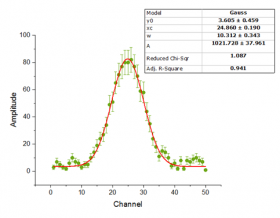
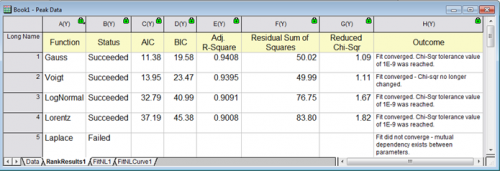
In OriginPro, you can use Rank Models tool to fit and rank multiple functions in a specified category for one dataset, and then reports the best fitting model. Results can be ranked by Akaike (AIC) and Bayesian Information Criterion (BIC) scores.
|
|
|
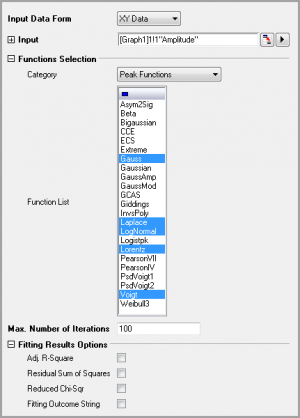
To do so, click Analysis:Fitting:Rank Models to open the funcRank dialog box. This dialog uses the X-Function funcRank.
| Recalculate | Specify the recalculate mode for the analysis. Options are Manual, Auto or None. See: |
|---|---|
| Input Data Form | Select the data form: XY Data or XYZ Data |
| Input Data | Input data range. You can select XY(Y error) or XYZ columns with using the triangle button at the right of edit box. |
| Functions Selection | Select a fitting function category, specify the functions under this category and use these functions.
|
| Max. Number of Iterations | Specify the max number of iterations performed when the Fit button is clicked. The default value is 100. |
| Fitting Results Options | Specify additional data to be computed and output. If none is specified, only Status, AIC and BIC will be output.
|
| Report Data | Specify where to output the result. See: |